Applicant process
Steps required to complete the new membership process
Applicant sign up
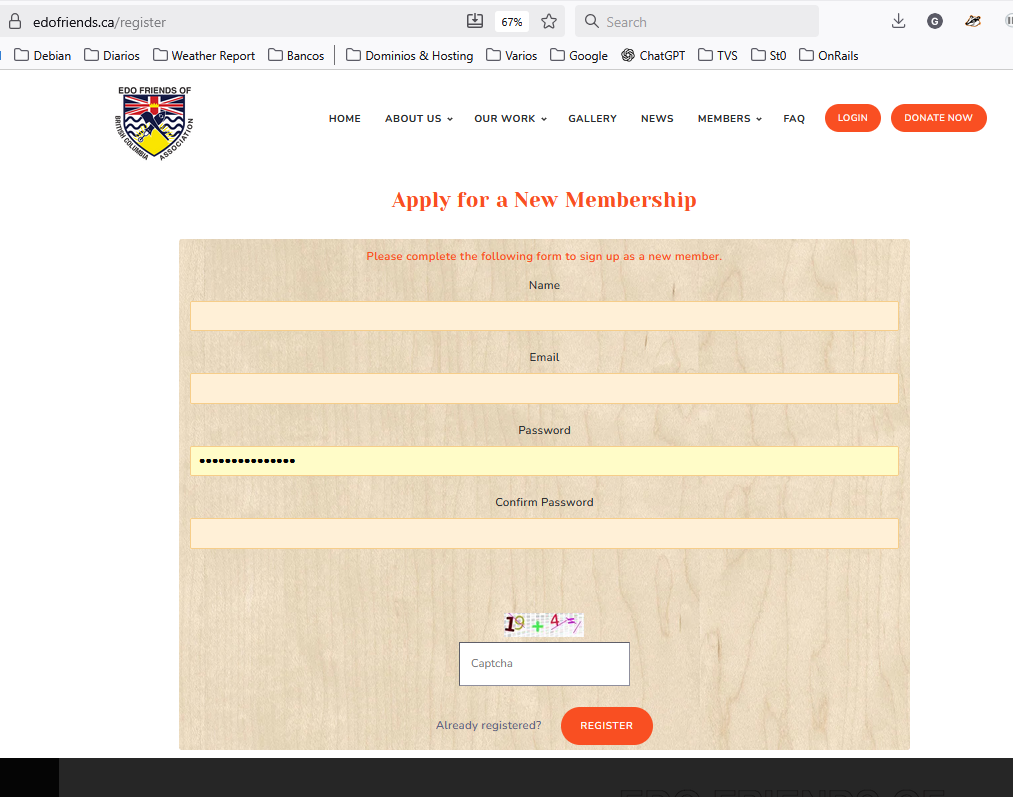
The Applicant willing to be part of EDO must go to this link:
https://edofriends.ca/register
and complete the form.
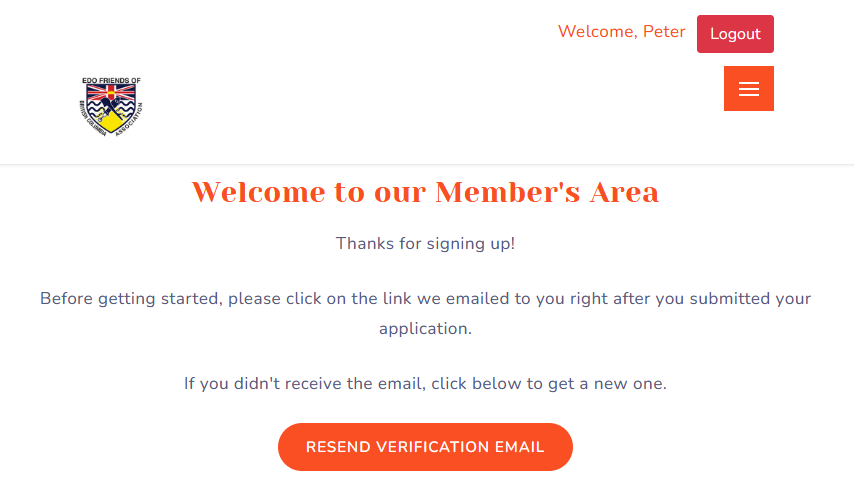
After successfully submitting the form the Applicant will see the below page.
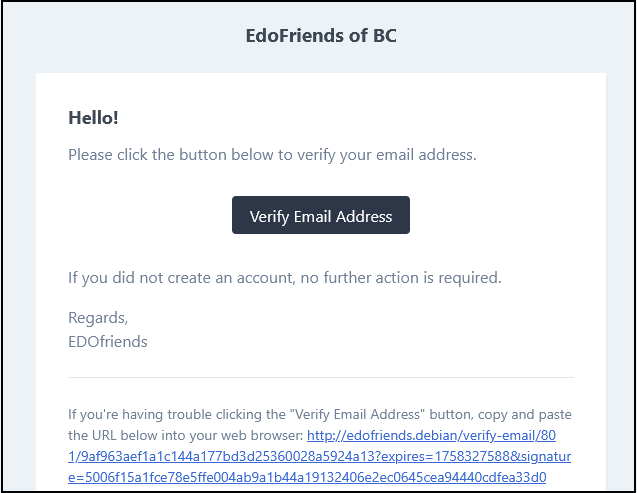
The email sent will look like the following:
After clicking the link, the Applicant will be redirected back to the site and asked to complete all the required fields. The Applicant can either proceed to fully complete the form, or pospone it for 7 days using the link at the very bottom of the page.
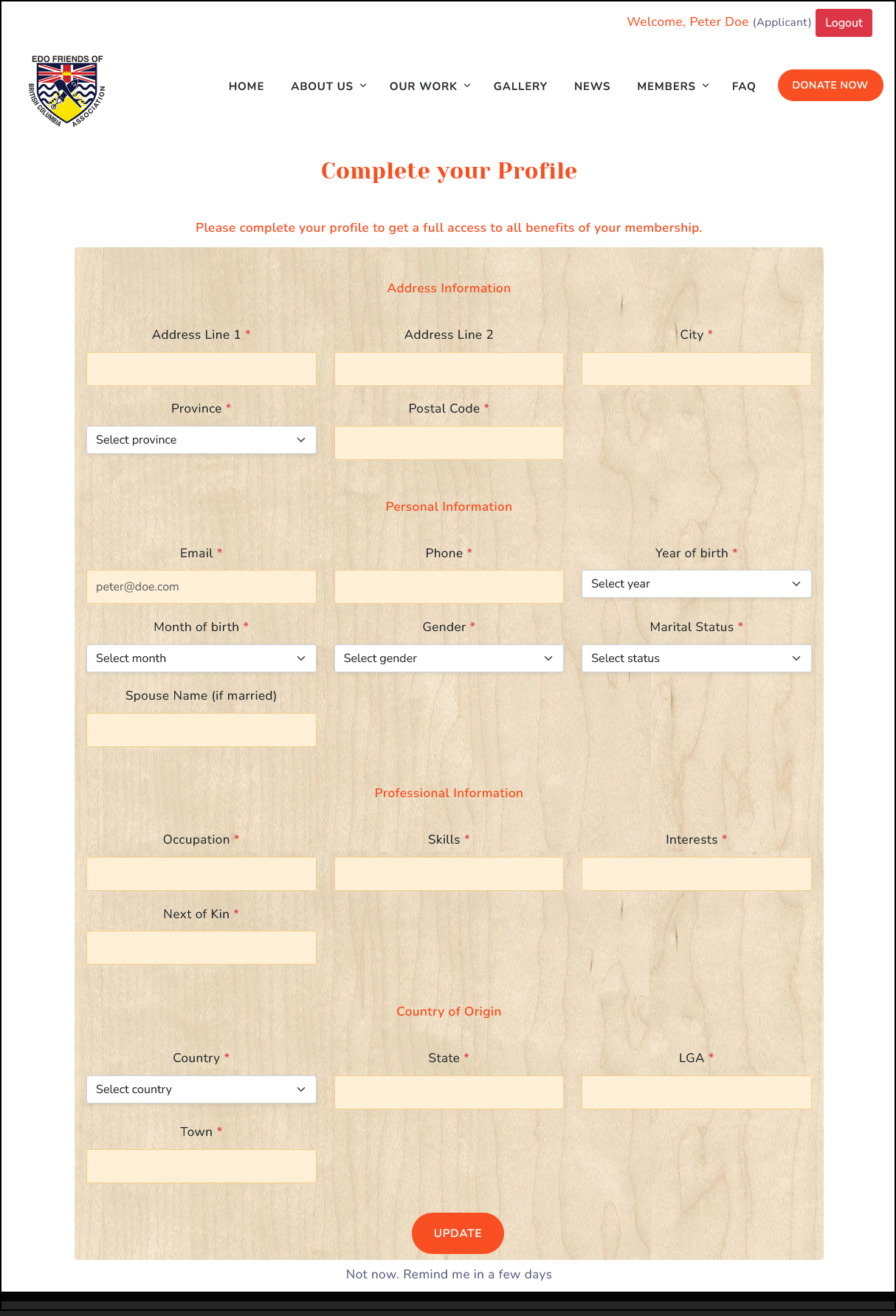
Either submitting or skipping, the Applicant stays in a "pending" status until reviewed and approved by the Secretary.
Applicant review and approve
Once an Applicant post its application, the Secretary will be able to review his form from here:
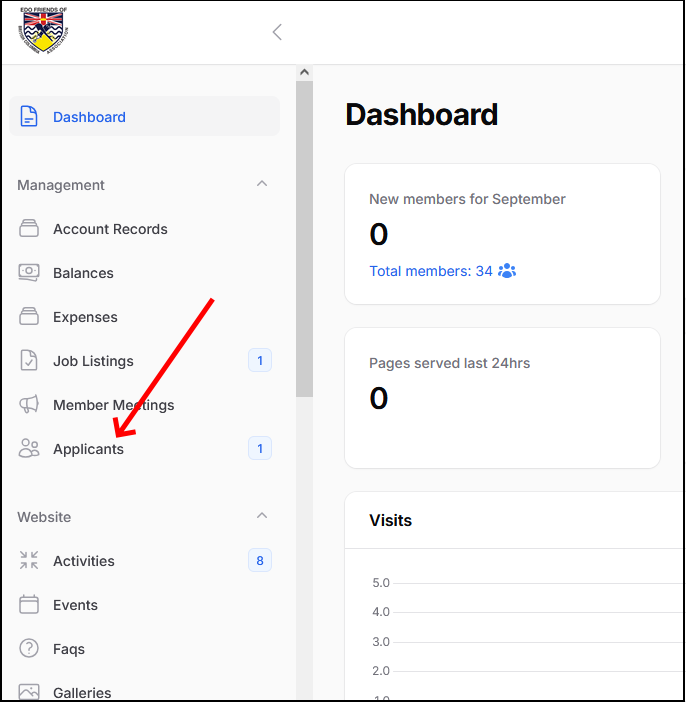
By clicking the Applicants menu option, you will see all the Applicants pending for approval. Notice in the below screen several things:
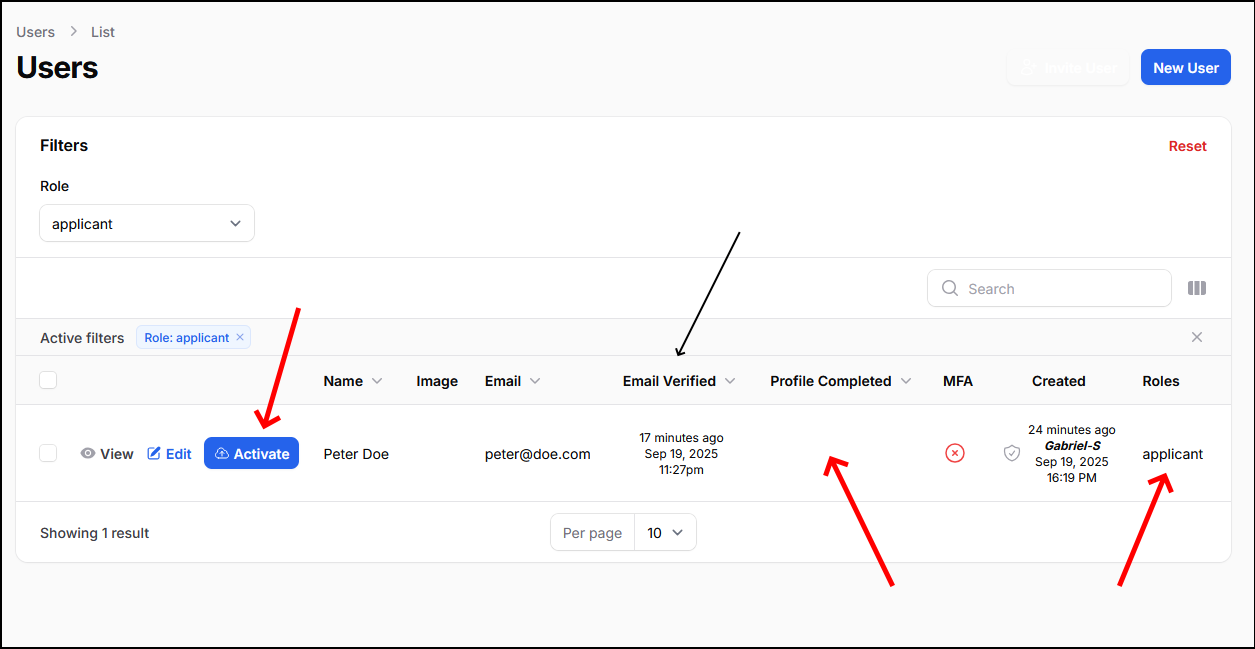
- The Applicant must have verified his email. You can't activate it unless his email is approved.
- His profile must also be completed.
- There is an "activate" button you have to press after reviewing the profile.
When you are ready to approve and enable the Applicant as a new member, you will see this confirmation page after clicking the "activate" button:
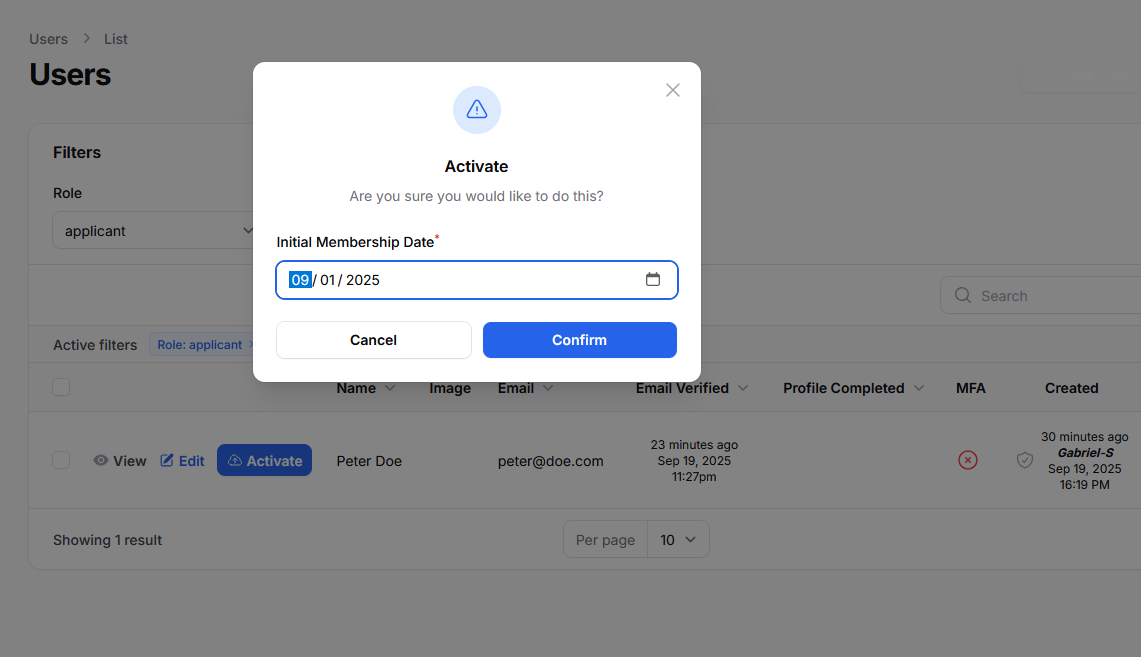
The Initial membership date sets the the date of the first membership due.
After this confirmation the applicant becomes a valid and active member. If this new member will also be part of the Committee you have to edit his user profile and add the proper role to it (check Managing User Roles).