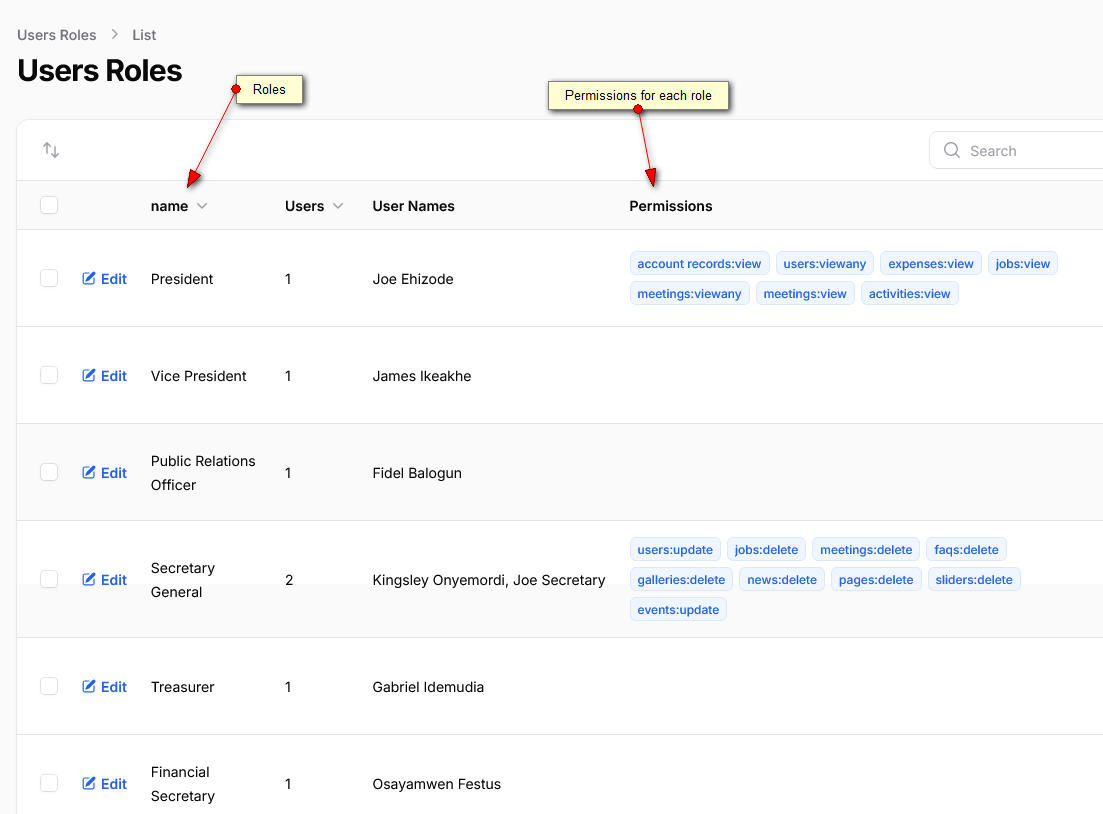
Managing Roles and Permissions
Learn the different roles and their permissions
How Roles work
- Whenever a new user submits a registration form, its role is set to "submission". Roles under this value are kept for only 30 days. then a nightly process removes them in order to avoid scamming attempts.
- When the user confirms his registration email, the role moves from "submission" to "applicant".
- When the Secretary review and approves a new applicant, it's moved from "applicant" to "member".
- If the new member is also a committee member, Secretary must assign from the Edit User page.
How Permissions work
- Permissions management allows to define which role can do which task in the system.
- The management of permissions is restricted by default to role "admin".