
Applicant review and approve
Once an Applicant post its application, the Secretary will be able to review his form from here:
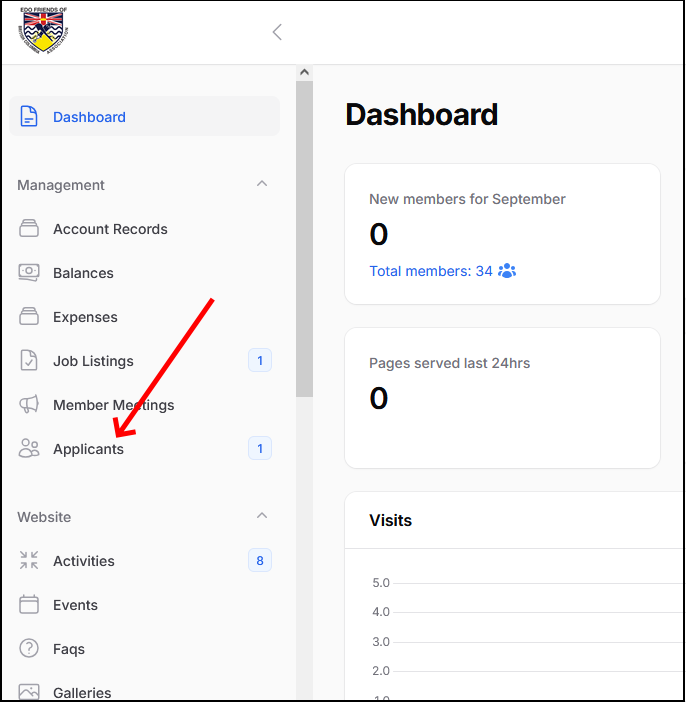
By clicking the Applicants menu option, you will see all the Applicants pending for approval. Notice in the below screen several things:
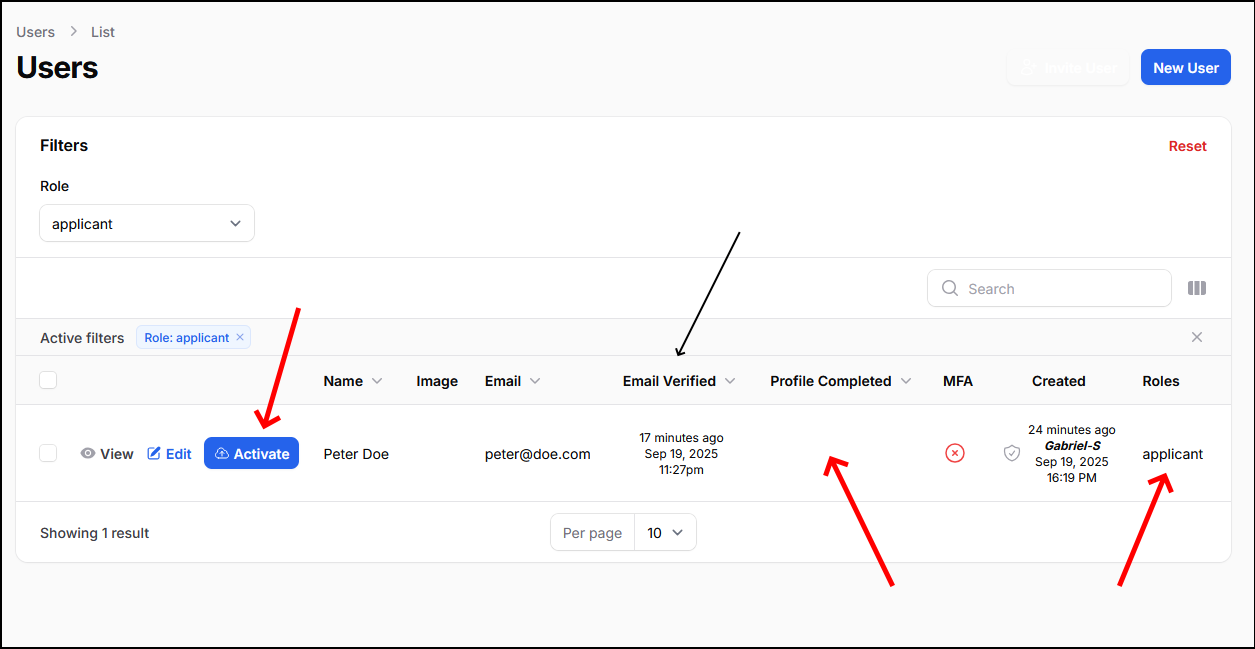
- The Applicant must have verified his email. You can't activate it unless his email is approved.
- His profile must also be completed.
- There is an "activate" button you have to press after reviewing the profile.
When you are ready to approve and enable the Applicant as a new member, you will see this confirmation page after clicking the "activate" button:
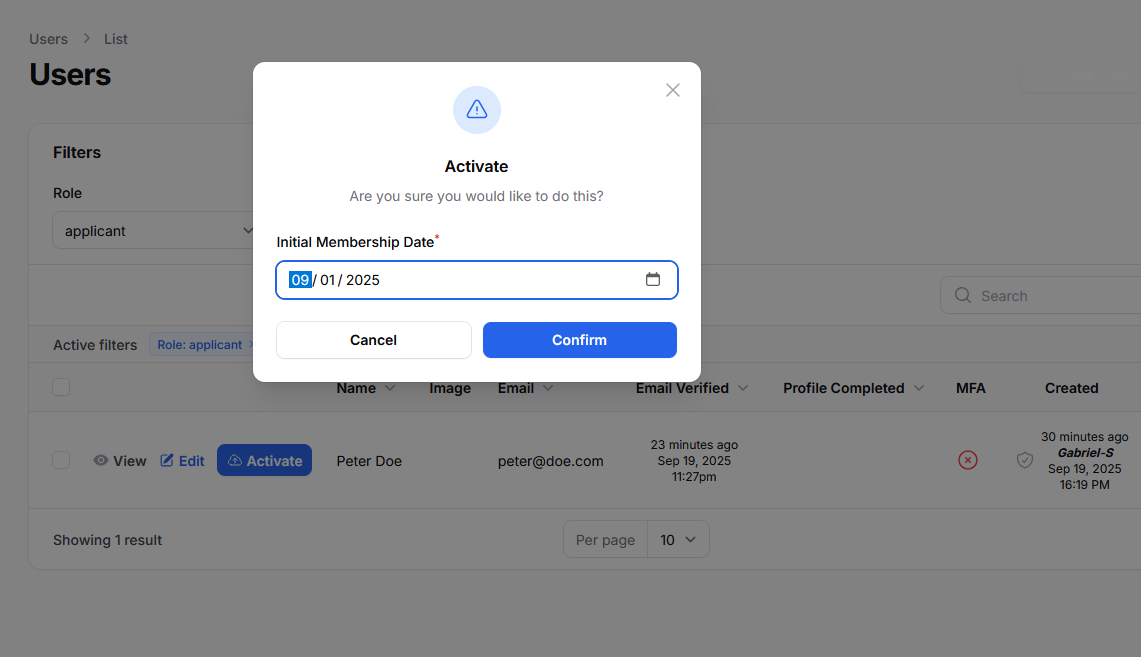
The Initial membership date sets the the date of the first membership due.
After this confirmation the applicant becomes a valid and active member. If this new member will also be part of the Committee you have to edit his user profile and add the proper role to it (check Managing User Roles).