
Registering Attendance
After a meeting is created, published and notified, the secretary can register the attendance.
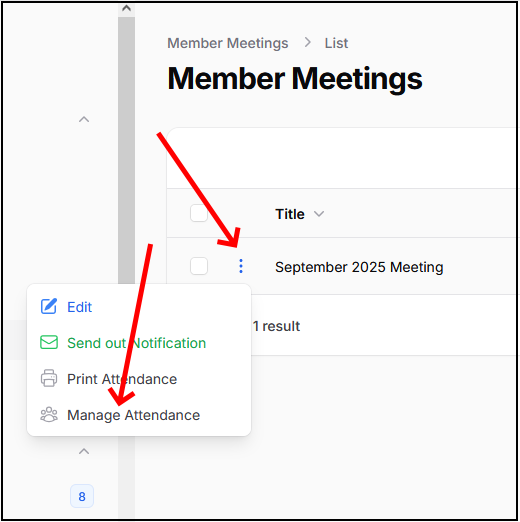
The attendance can be edited up to 30 days after the meeting has occurred. In order to edit it, click on the three dots and select "Manage attendance"
The system will show a pop up form with the list of all current members. By default you can opt for setting all of them to either Present, Absent, Excused or no Action.
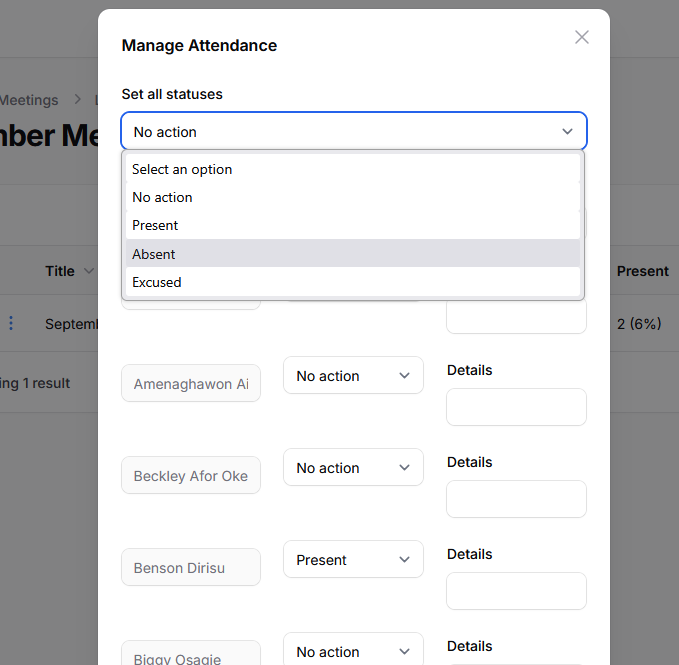
This feature makes it simple a bulk action. You can provide "details" on each record (they will be internal comments).
When submitting, the system won't make any further action. You can edit attendance as many times as needed. Beware that members can also report assistance thru the website. These reports will appear here as well.
You can "print" the attendance. the system will generate a PDF which you can download or print out.